Enterprise SSO Without the Limitations
Connect unlimited identity providers, route users intelligently by domain, and let customers self-administer their SSO—without per-connection pricing or vendor restrictions.
Phase Two enables your application to connect with unlimited identity providers simultaneously. Keycloak supports any standards-compliant identity provider and can federate to hundreds at the same time, giving your customers the SSO flexibility they expect without artificial limits.
SSO That Scales With Your Business
Support any number of customer identity providers, route users cleanly by domain, and keep a consistent login experience as you grow.
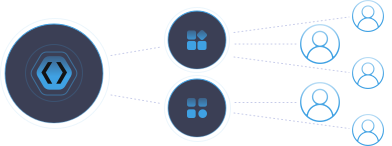
Unlimited Identity Provider Connections
Connect to as many identity providers as your customers need—no per-connection fees, no artificial caps, no vendor restrictions.
Smart Domain-Based Routing
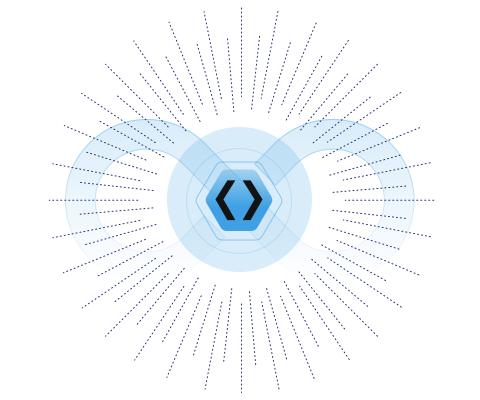
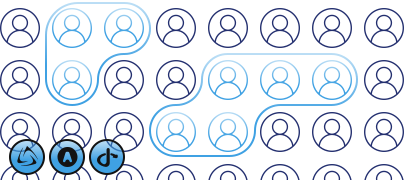
Automatically route users to their organization's specific IdP based on email domain. Simplify account management and prevent users from creating duplicate accounts with mapped domains.
Multiple IdPs per Customer
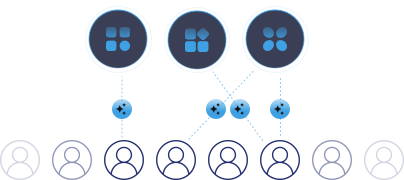
Support organizations that use multiple identity providers simultaneously. Don't force customers into single-provider limitations.
Standards‑Compliant Federation
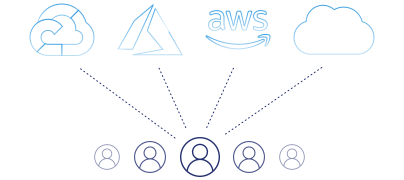
Integrate with any OIDC, SAML, or OAuth 2.0 compliant identity provider—from enterprise solutions to social login providers.
Let Your Customers Manage Their Own SSO
Offload setup effort by giving customer admins the tools they need—reducing support burden while improving adoption.
Identity Setup Wizard
Customer IT admins can self-administer their own identity provider connections with zero IT input from your team.
Organization-Specific Configuration
Provide a way to implement organization-specific identity providers, giving each customer control over their authentication requirements.
Reduced Support Overhead
Empower customers to configure and maintain their own SSO integrations without creating tickets or waiting for your team.
Frequently Asked Questions
How does Single Sign-on (SSO) work?
Single Sign-On (SSO) allows a user to access multiple applications with one set of login credentials. When a user logs in to a primary system (Identity Provider or IdP), an authentication token is generated. This token is used to authenticate the user across other connected applications (Service Providers or SPs) without requiring additional logins. SSO improves security and user convenience by centralizing authentication and reducing the number of passwords users need to remember.
What are the benefits of SSO?
- User Convenience: Fewer passwords to remember and manage.
- Improved Security: Centralized authentication with strong, complex passwords.
- Administrative Efficiency: Simplified user management and reduced help desk costs for password resets.
- Consistent Experience: Seamless access to multiple applications enhances productivity.
What are some of the key components of SSO?
- Identity Provider (IdP): The centralized system that handles authentication and issues tokens (e.g., Okta, Azure AD, Auth0).
- Service Providers (SP): The applications or services that rely on the IdP for authentication (e.g., Gmail, Salesforce).
- Authentication Protocols: Standard protocols such as SAML (Security Assertion Markup Language), OAuth, and OpenID Connect facilitate secure token exchanges between the IdP and SPs.
What is an SSO Authentication Token?
An SSO authentication token is a digital artifact issued by an Identity Provider (IdP) upon successful user authentication. This token serves as proof of the user’s identity and is used to grant access to multiple connected applications (Service Providers or SPs) without requiring the user to log in again. The token typically contains information about the user’s identity and permissions, and it is securely passed between the IdP and SPs to verify the user’s authentication status.
What are the different types of Single Sign-On?
There are several types of Single Sign-On (SSO) solutions, each designed to meet different security and integration requirements. The main types include:
- Kerberos-Based SSO
- Security Assertion Markup Language (SAML)
- OAuth/OpenID Connect
- Lightweight Directory Access Protocol (LDAP)
- Central Authentication Service (CAS)
What is IDP initiated and SP initiated SSO?
IDP-Initiated SSO starts with the user logging in directly at the Identity Provider (IdP). After authentication, the IdP redirects the user to the Service Provider (SP) with an authentication token, granting access to the application.
SP-Initiated SSO starts with the user attempting to access the Service Provider (SP) directly. The SP redirects the user to the Identity Provider (IdP) for authentication. After successful login, the IdP sends an authentication token back to the SP, which then grants access to the user.
How do I start using SSO with Phase Two?
Setting up SSO with Phase Two is simple and easy. Read our SSO article on how to set it up. With Phase Two you can create multiple SSO interactions, including a “landing page” filled with boxes of the various services a user can sign into.
Does Keycloak support Single Logout (SLO)?
Yes!